In our journey through the digital realm, managing emails effectively is a cornerstone.
Being the Head of Product at ImprovMX, I’ve been privileged to witness how Regular Expressions (Regex) can significantly enhance email forwarding rules.
In this post, we’ll delve into the Regex feature in ImprovMX and its practical applications.
Understanding Regex
Think of Regex as a detective. Given a clue (pattern), it scours the text to find matching sequences. This detective is exceptionally skilled at finding patterns in text, which is a boon when you are looking to manage emails with varying structures.
How ImprovMX Implements Regex
ImprovMX harnesses the power of Regex to create advanced email forwarding rules.
Say you have a slew of email addresses for different purposes. Instead of setting up individual forwarding rules, you can implement this Regex setup in your ImprovMX Dashboard:
| Alias | Forwards to |
|---|
(contact|support|hello) | yourbusiness.$1@gmail.com |
Where the dollar sign ($) is the substitution in the destination email.
What the above setup does is to allow emails sent to the different aliases to be forwarded to their respective destinations, so:
| Emails sent to | Forwards to |
|---|
contact@yourdomain.com | yourbusiness.contact@gmail.com |
support@yourdomain.com | yourbusiness.support@gmail.com |
hello@yourdomain.com | yourbusiness.hello@gmail.com |
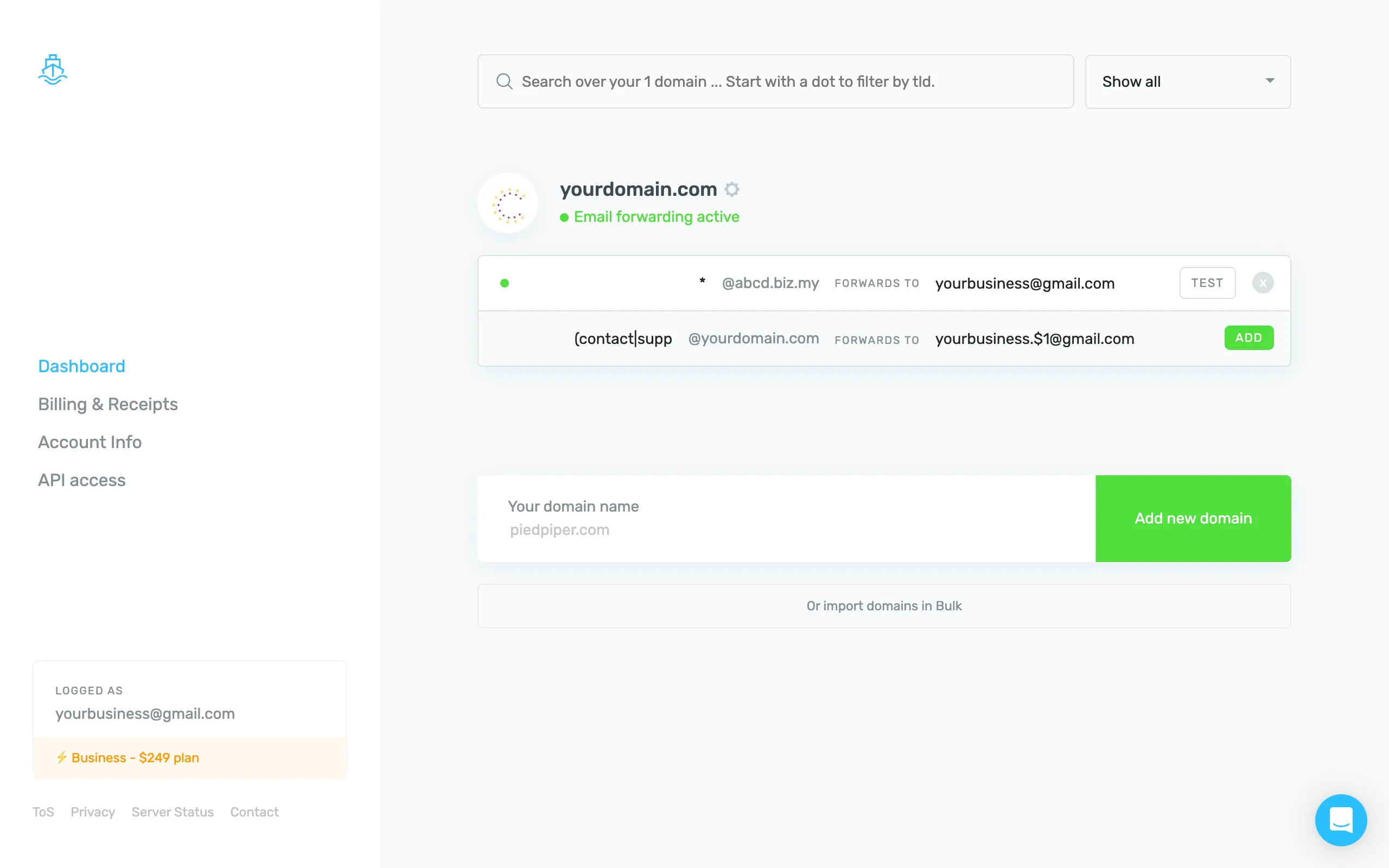
With Regex, you’re not just forwarding emails; you’re automating a part of your email management, saving time, and reducing manual errors.
The Regex feature in ImprovMX is akin to having a Swiss Army knife in your email management toolkit. It’s simple for those who prefer a straightforward approach, yet robust enough for those who love to delve into the nitty-gritty. It’s about making your email work for you, not the other way around.
If you are an advanced user, you can learn more about the various possibilities which you can achieve with Regex at the ImprovMX Help Center.